Logic Program - Impact on Real Time Code Execution
This article describes the impact of logic program execution and various stop conditions on the real time guarantees of the controller. It is intended for users who need to design systems using logic programs. Examples presented were tested against Poyscope 10.14.0. For more information about logic programs, please refer to the Software Manual and the URScript manual.
There are four main concern categories regarding real time guarantees of the controller when running a logic program:
The time budget interactions when both logic and main program are in a steady state.
The impact of starting or stopping either program on the other program.
The impact of runtime exceptions on the other program.
The impact of protective stop, emergency stop and other exceptional interruptions on the logic program.
Each of the concepts will be discussed in their own chapter.
The important limitation is that logic programs share the time budget with the main program. Most spikes in runtime can be mitigated by the use of sync() statements just like if the spikes came from the main program alone. If and only if this proves insufficient, the below advices should be consulted.
RTDE interface actual_execution_time field can be used to measure total amount of time used by all programs and all threads.
The Time Budget
The controller runs at a fixed frequency and all programs with their threads are executed sequentially on a single isolated CPU core. The practical impact is that a 500Hz control loop implies a 2 ms deadline for all programs and threads combined. A failure to adhere to this deadline will eventually trigger a “Runtime too much behind” exception that will stop the main robot program. Conversely, the logic program will be affected, but not stopped.
For example, if the logic program consumes 0.5 ms each tick, it implies that the main program has 0.5 ms less time each tick.
Important: Time budget violations leading to “Runtime too much behind” exception only stop the main program but are a consequence of the time usage of all running programs.
The Impact of Starting and Stopping Programs
Before logic programs were introduced, only a single program could be running concurrently. That means that behavior that previously could not affect real time guarantees now can, for instance:
The Preamble
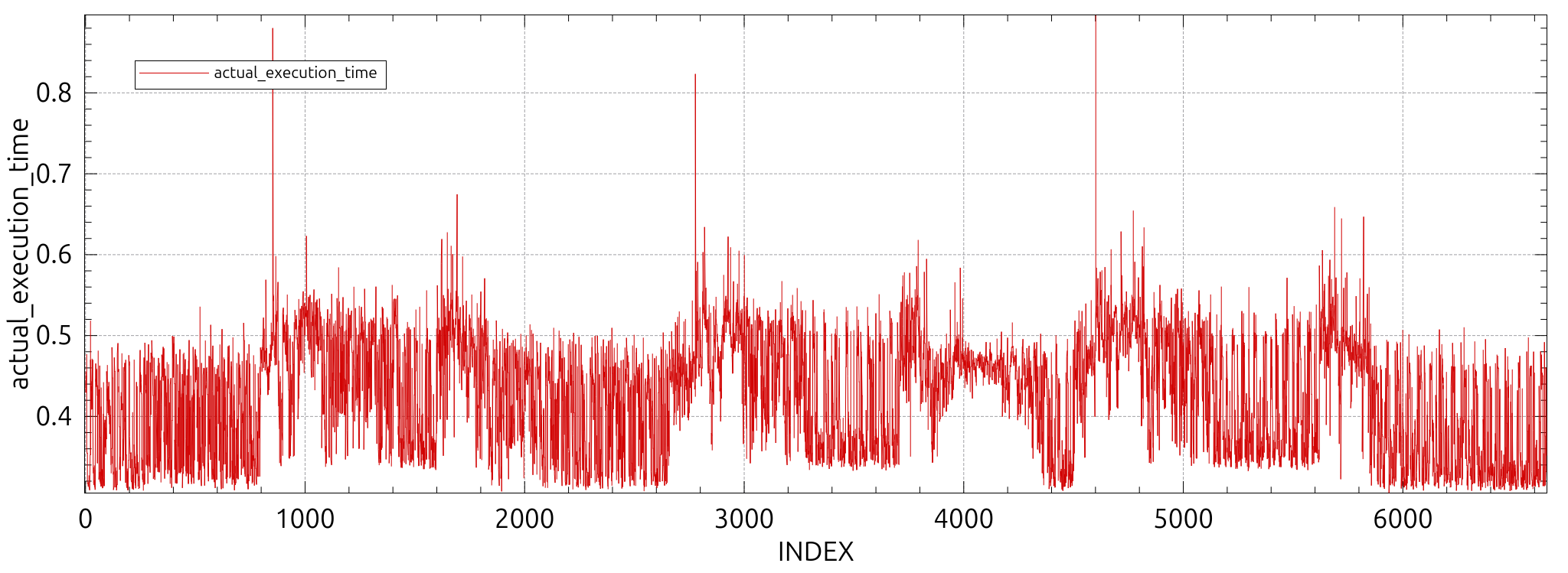
The preamble in the primary program contains setup code from the GUI and URCaps. This preamble is executed at the start of the primary program and can cause a single sharp spike in time use. As the robot is not moving, this is not likely to cause a “Runtime too much behind” exception, but it can delay a single step of the logic program slightly. Likewise, the logic program preamble will impact the main program.
Below is an example of three start-stop cycles of a primary program. The disruption is in the order of 0.3 to 0.4 ms, but could be higher given large URCap contributions. URCap contributors can mitigate the spikiness by adding sync() statements between groups of script code blocks until the impact is deemed acceptable.
The “Before Start” Section
The “Before Start” section of a program usually contains setup code and any expensive tasks such as making xmlrpc clients, long lists, etc. If the “Before Start” greatly exceeds the time budget for a primary program, it will only cause a bit of delay in any running logic program. We are again in a situation where the robot will be standing still, and the controller can mitigate the disruption without runtime exceptions. If the logic program is the one taking an excessive amount of time, any issues can be mitigated by starting the logic program before the primary program.
Generic Overhead of Starting and Stopping Programs
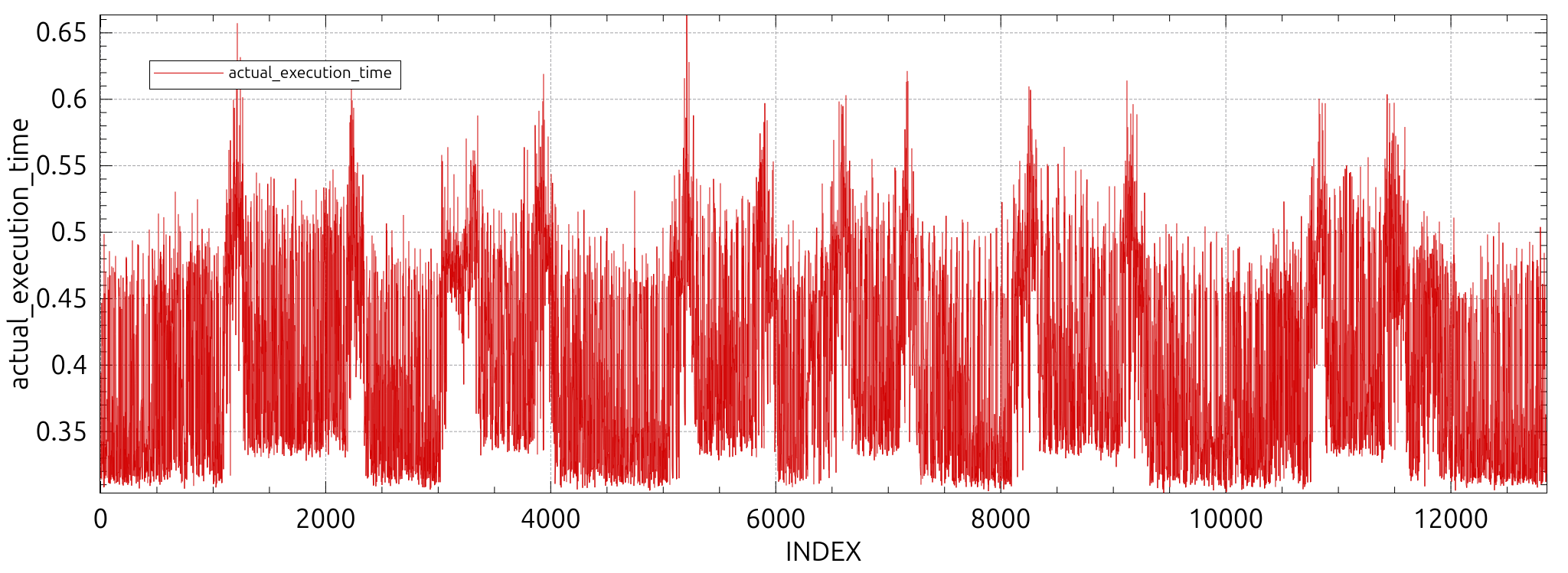
Starting and stopping programs causes general load on the system and direct impact on the real time controller execution. This impact is illustrated in the plot below where a simple logic program was started and stopped six times. Each start creates a spike of execution times in the order of 0.05 to 0.15 ms before plateauing at the new level of time expenditure.
The Impact of Runtime Exceptions
Before logic programs were introduced, any runtime exception would implicitly mean the complete termination of any running program. This meant that no real time guarantees were relevant during such exceptions.
If the primary program is stopped with e.g. an exception caused by mismatched parameters four times, we get the following result:
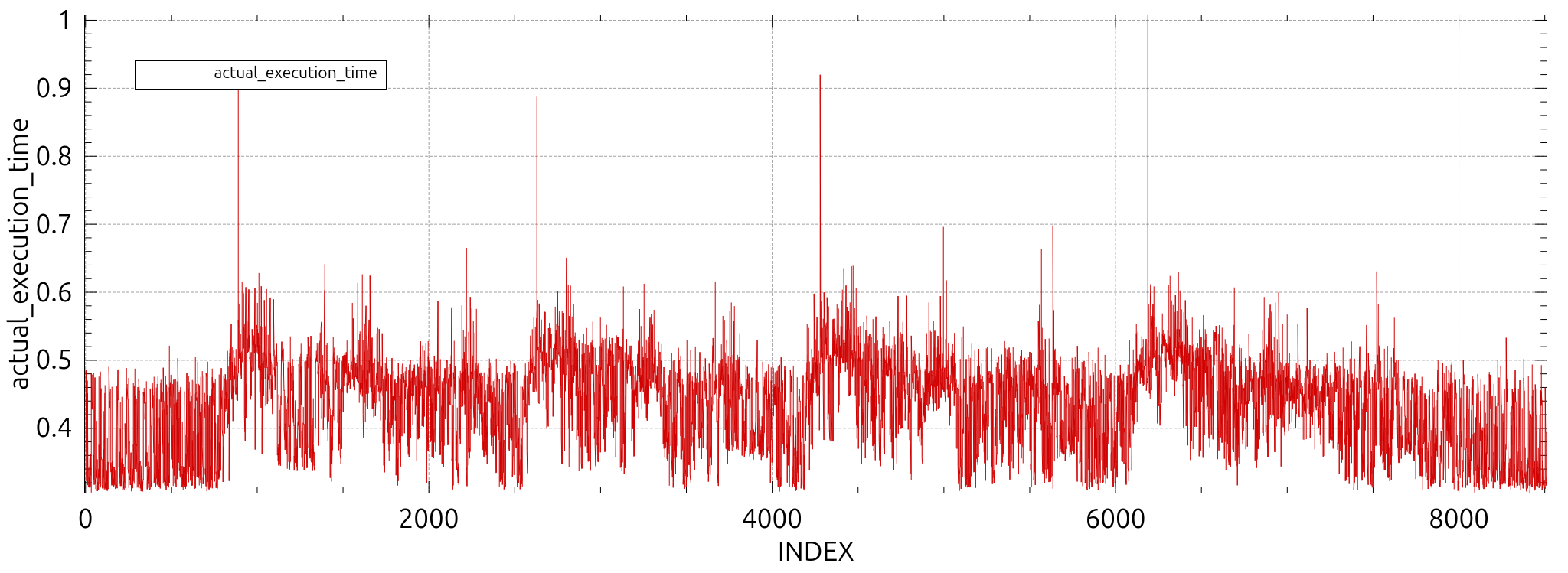
Note that the spikes are coming from the preamble and the exceptions are mostly hidden by the general noise. This can be confirmed by doing four runs with the runtime exception coming from the logic program:
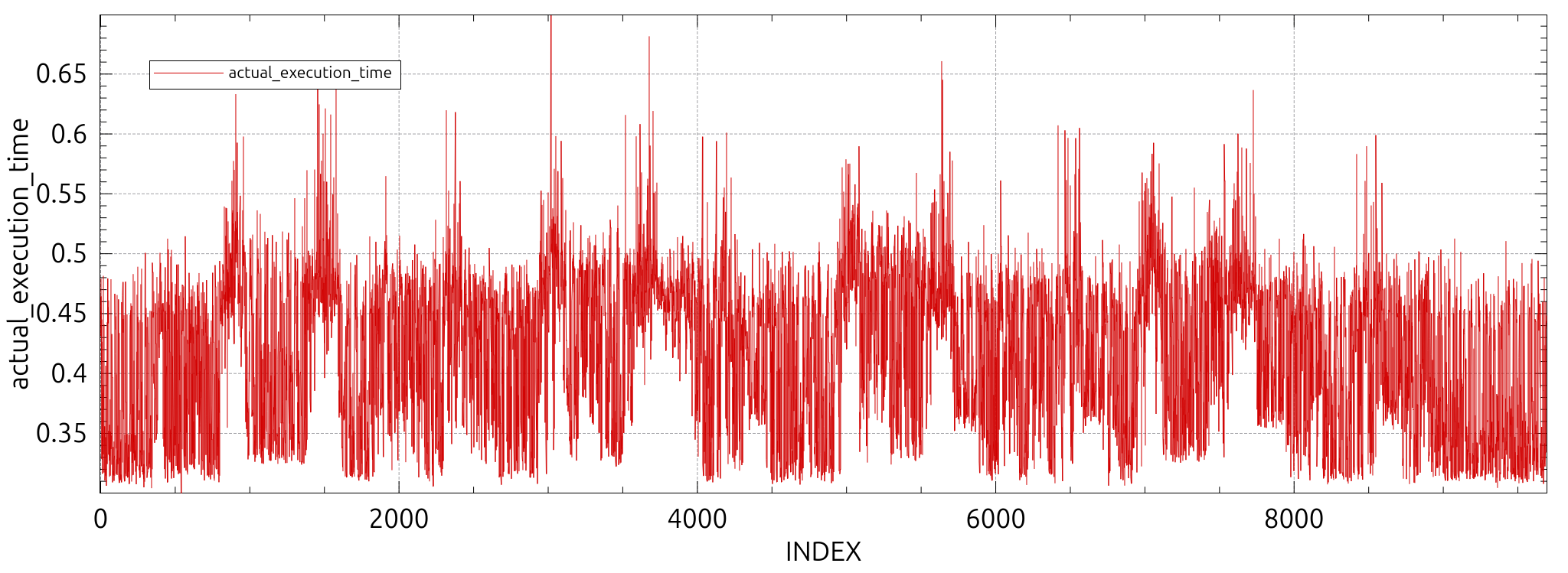
Typically exceptions will be completely negligible, but due to internal dynamic memory allocation their execution time is not predictable.
Due to that fact It is not recommended to have any exceptions as part of a normal workflow.
The Impact of Exceptional Events
There are a number of ways to stop or disrupt a program:
Protective Stops
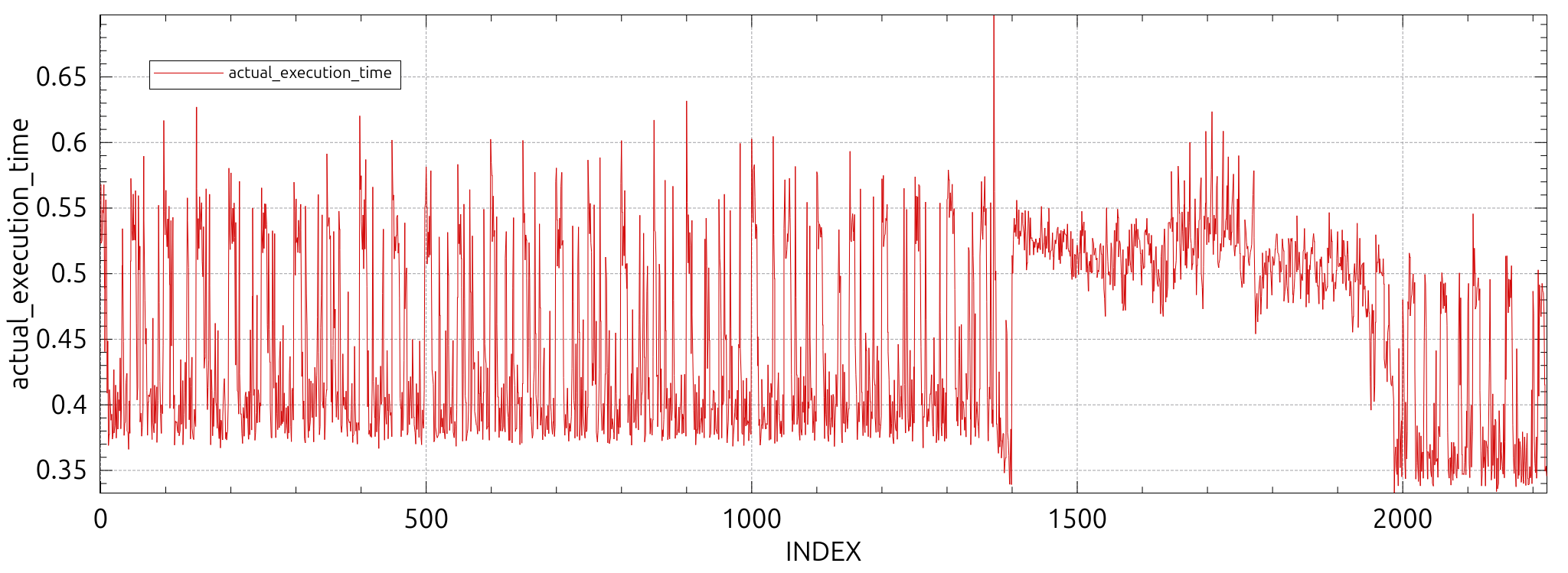
A protective stop will pause or stop the main program, but it will also potentially delay the logic program slightly. The tick the stop is triggered will be delayed the most (in the order of 0.15 ms), followed by a higher base load before settling on the new lower baseline:
Emergency Stop
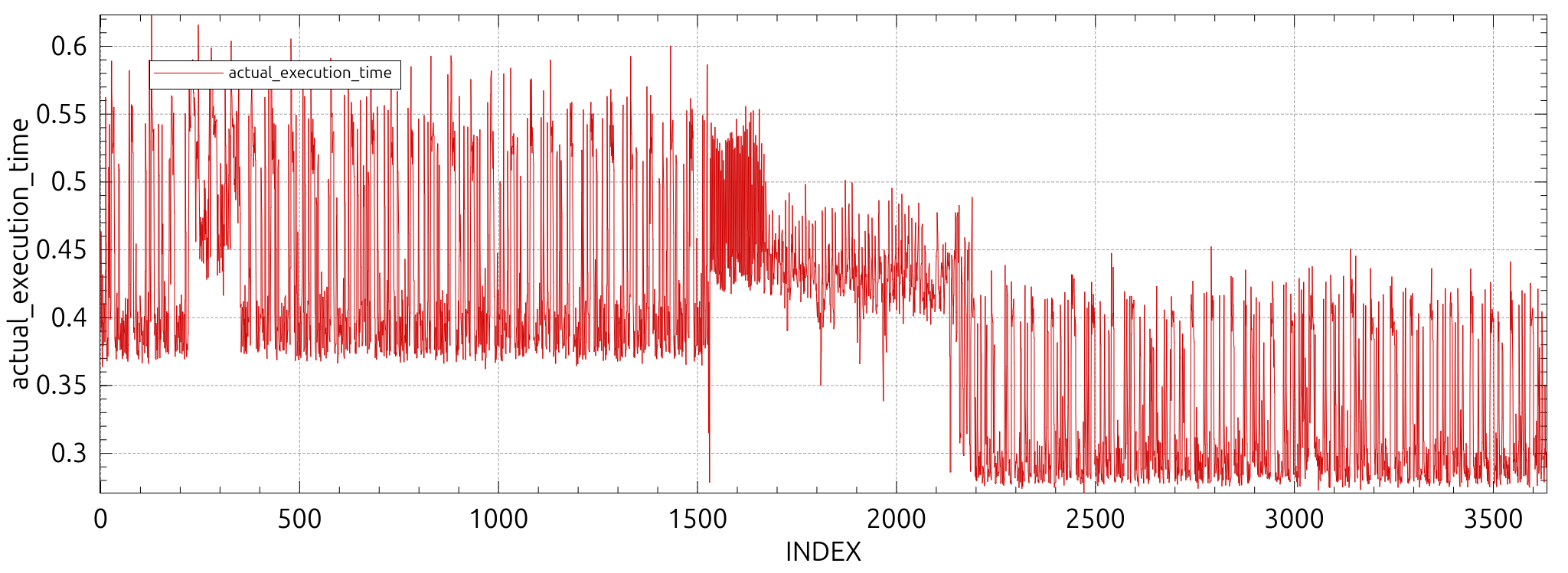
An emergency stop will cause a temporary increase in the average execution times, but stopping even the simplest primary program will compensate for it timewise. The following plot illustrates such a case:
Faults
Faults will typically behave like emergency stops from a delay perspective.
Flight Records
Generating a flight report is costly, and especially the first timestep the controller receives the command will take increased time. The minimal impact is serializing a small program with few threads, no global or shared variables and is pictured below:
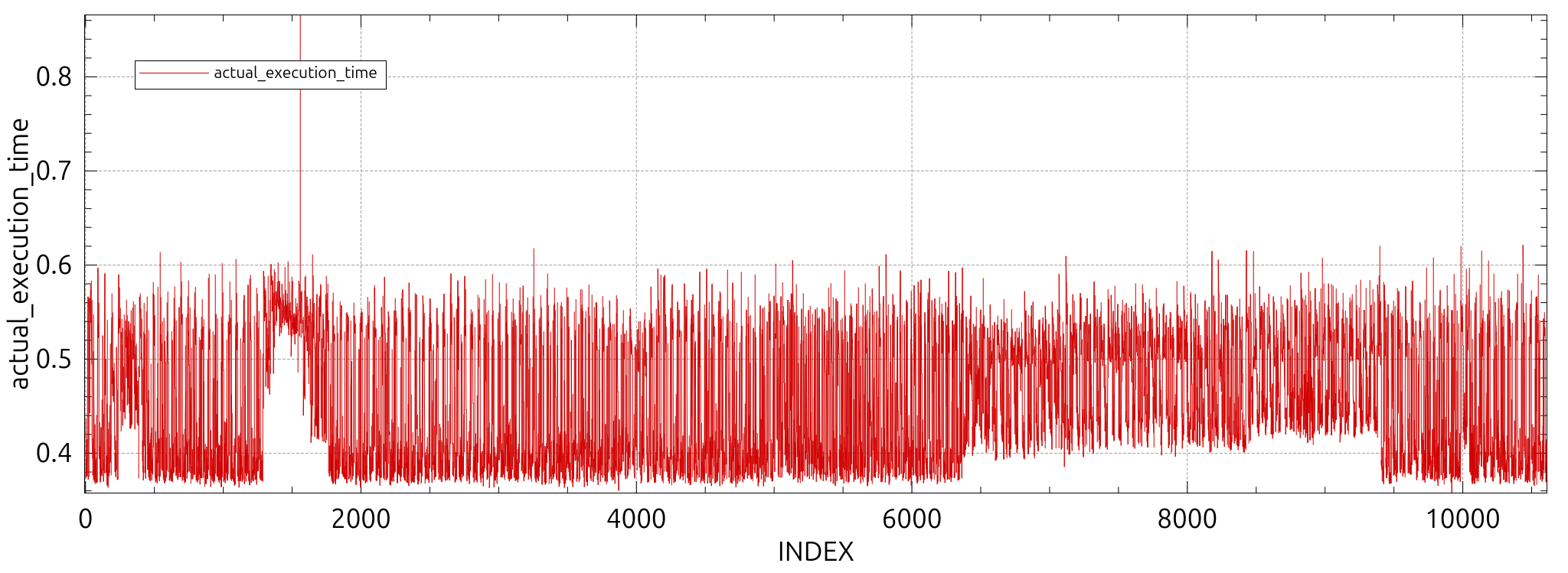
If more variables, source code or threads are added, the spike will increase.
Recommendation: Request on-demand flight reports only when the robot is not moving. Test impact of flight report generation on the logic program.
Applying Safety
Restarting safety CPUs implies pausing the logic program while the new safety is being applied. This pause is significant and can be measured in seconds. The logic program will be effectively paused until new safety settings are applied.
Recommendation: Do not change safety settings while a logic program is running.