AprilTag Detection
Warning
The AI Accelerator requires ROS 2 Humble, so PolyScope X 10.12.1 is the latest compatible release. PolyScope X 10.13 and later use ROS 2 Jazzy and are not currently supported.
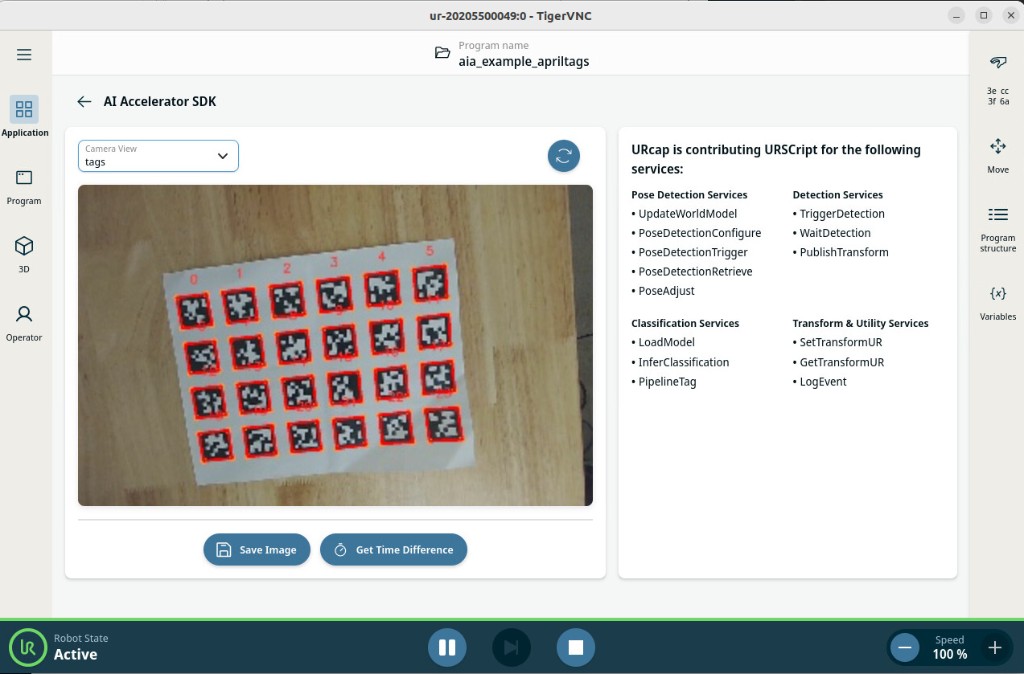
AprilTags are similar to QR codes, but they also provide tag position and orientation. This example detects printed tags with the camera and shows them in PolyScope X and on the AI Accelerator overlay.
What you need
SDK installed and running
Printed 36h11 tags at 30 mm (print at 100% / actual size):
Example program:
~/aia_sdk/polyscope/programs/aia_example_apriltags.urpx
Tag size defaults to 0.03 m. Change it in ros/launch/run_example_apriltags.launch.py if you use a different print size. Additional 36h11 sheets: https://docs.cbteeple.com/robot/april-tags
Steps
Step 1 — Enter the SDK container
cd ~/aia_sdk/ros
./scripts/run_sdk_setup.sh
Step 2 — Launch the AprilTag example
./scripts/run_example_apriltags.sh
By default, apriltags_continuous is false (on-demand detection from the robot program).
Step 3 — (Optional) Enable continuous detection
Edit the last line of ros/scripts/run_example_apriltags.sh to:
ros2 launch launch/aia_example_apriltags.launch.py apriltags_continuous:=true
Or pass arguments directly:
ros2 launch launch/aia_example_apriltags.launch.py apriltags_continuous:=true log_level:=debug
Argument |
Default |
Meaning |
|---|---|---|
|
|
|
|
|
Enable AprilTag logging when |
|
|
Log frames to different files instead of overwriting one file |
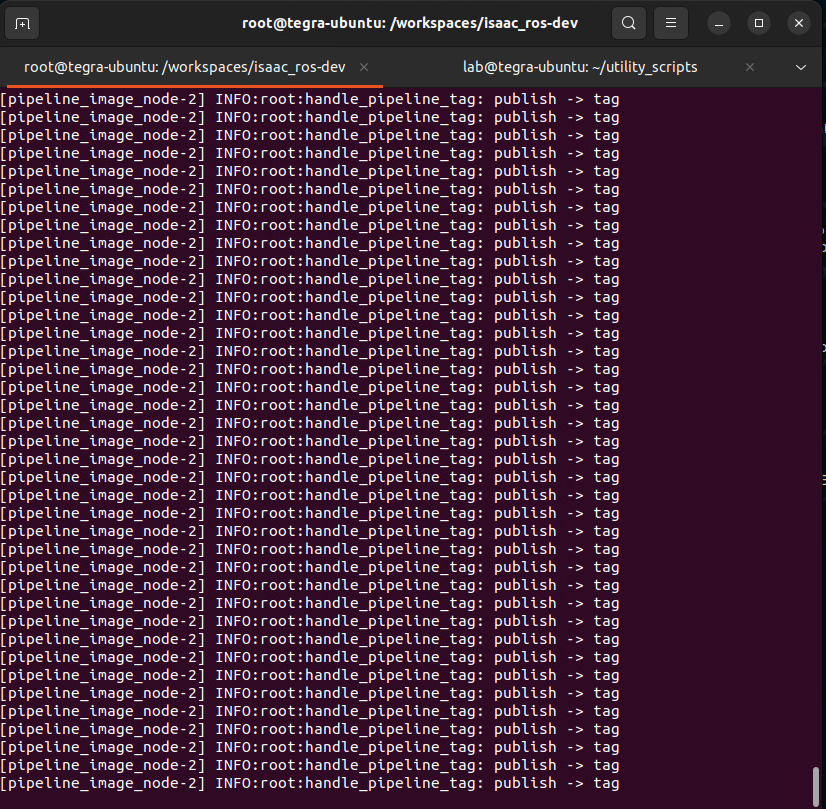
When continuous mode works, the terminal shows repeated messages such as handle_pipeline_tag: publish -> tag:
Step 4 — Run the PolyScope program
Copy
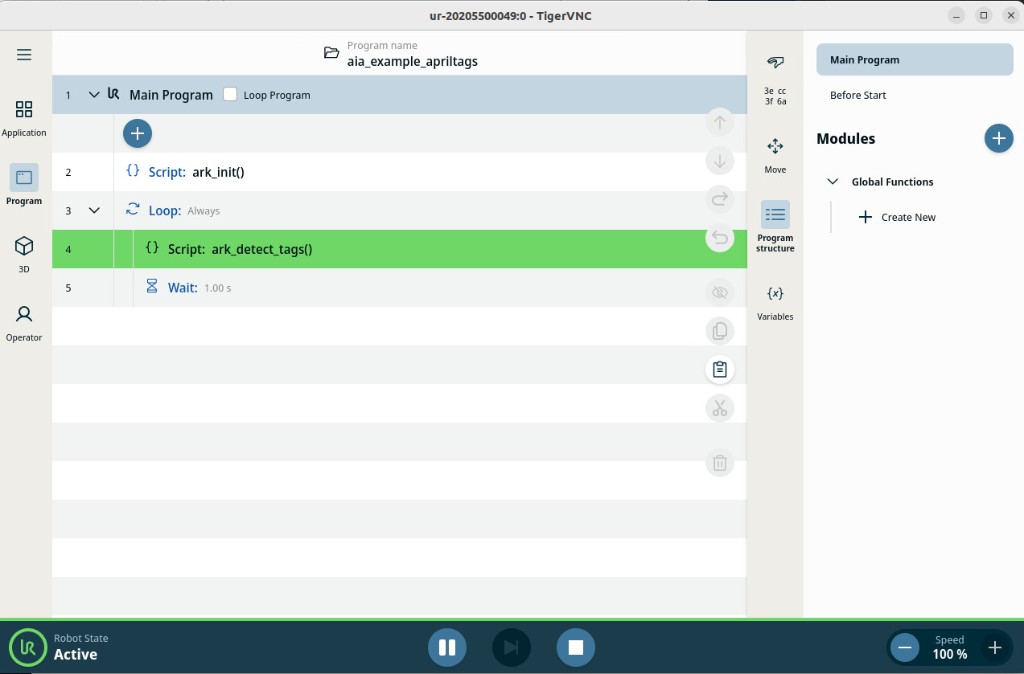
aia_example_apriltags.urpxfrom~/aia_sdk/polyscope/programs/to the robot.Open and run the program. It calls
ark_init(), then loops onark_detect_tags().
Step 5 — Confirm detections
Open the AI Accelerator SDK application view.
Set the camera overlay to tags.
Confirm detected tags are outlined (red boxes / IDs) on the printed sheet.